Appearance
linux
权限
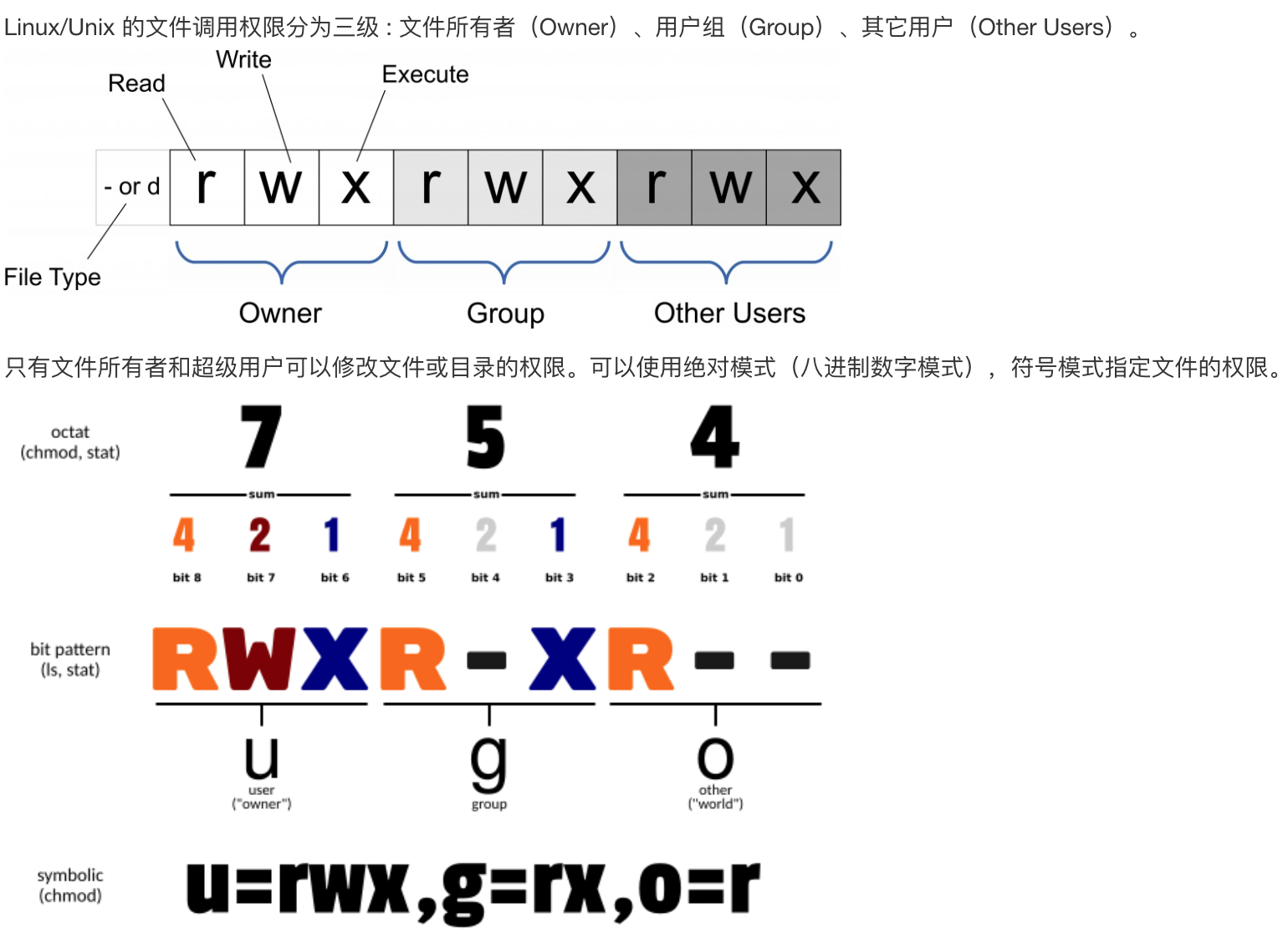
文件权限分为三级:
- 文件所有者
- 用户组
- 其他用户
权限数字代表的意义:
| 权限 | 意义 | 数值 | 英文全拼 |
|---|---|---|---|
| R | 读取 | 4 | Read |
| W | 写入 | 2 | Write |
| X | 执行 | 1 | Execute |
curl
获图片取链接详情
shell
curl -I https://gw.alicdn.com/bao/uploaded/i1/2246953229/O1CN01dDujl11ZivdrouZEM_!!0-item_pic.jpg_300x300q90.jpgdocker
shell
curl -fsSL https://get.docker.com -o get-docker.sh
sh get-docker.shiptables
清空iptable规则
shell
sudo iptables -P INPUT ACCEPT
sudo iptables -P FORWARD ACCEPT
sudo iptables -P OUTPUT ACCEPT
sudo iptables -F
nodejs 安装
ubuntu
shell
curl -fsSL https://deb.nodesource.com/setup_18.x | sudo -E bash - &&\
sudo apt-get install -y nodejsssh
抱错ssh密钥权限太开放
shell
Permissions 0777 for '/Users/username/filename' are too open.
It is required that your private key files are NOT accessible by others.
This private key will be ignored.
Load key "/Users/username/filename": bad permissions
将文件的权限设为自己可读
shell
chmod 700 /Users/username/filename